 01
01Single STEP
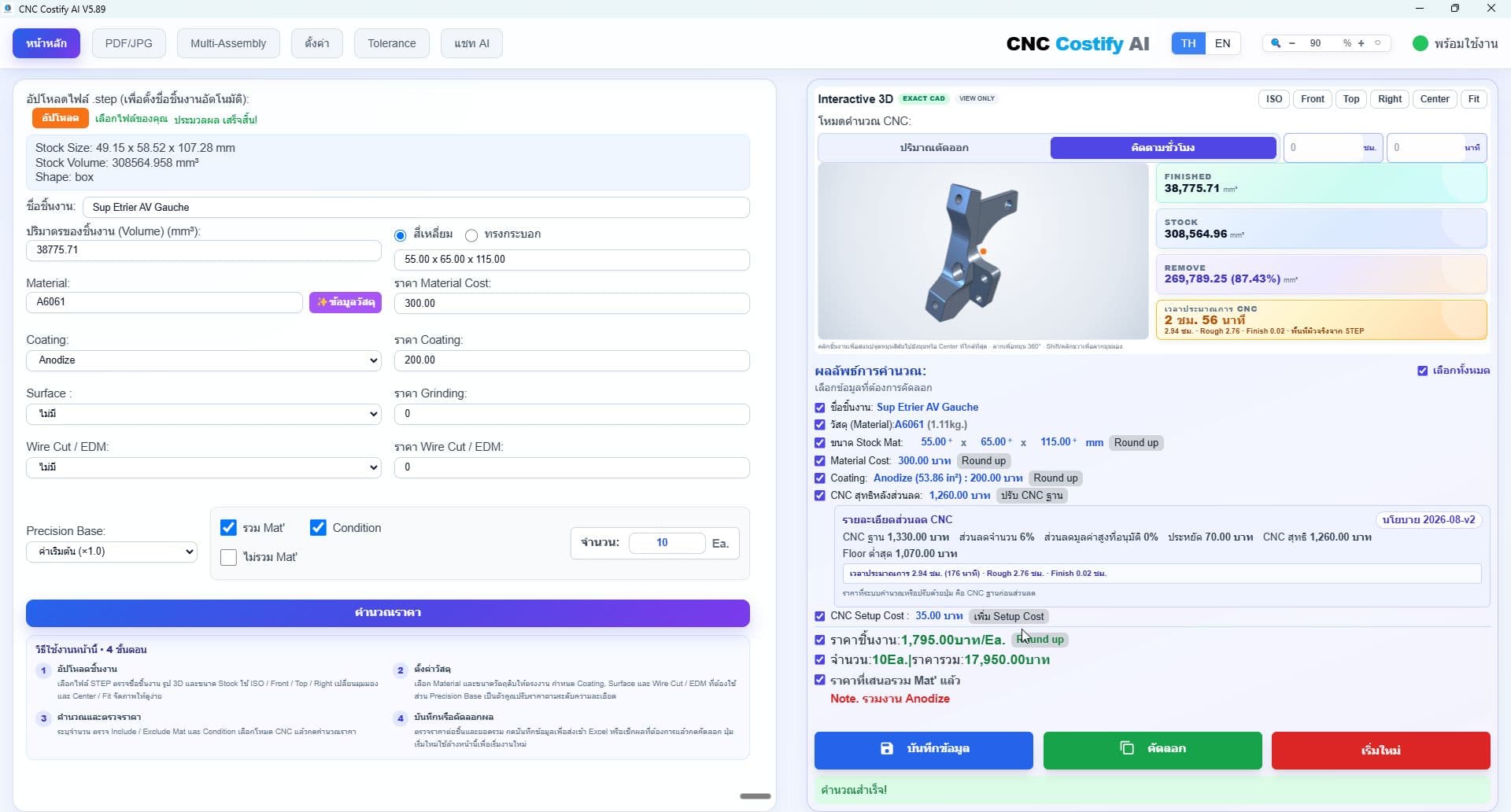
Read a single part's geometry, calculate volume, stock size, and removal before selecting materials and processes.
OpenCASCADEBox / CylinderContainment Check
Read STEP geometry and effective quantities, extract XCAF assembly parts, and export PDF/JPG or Multi-Assembly workbooks using the same final post-discount pricing shown on screen.
AL_Base_1.step
300 × 920 × 25 mm · 18.63 kg
PRICE / PART
฿16,725
10 pcs · Total ฿167,250
You do not need every file type. Each workflow adapts to the information your customer provides.
01Read a single part's geometry, calculate volume, stock size, and removal before selecting materials and processes.
 02
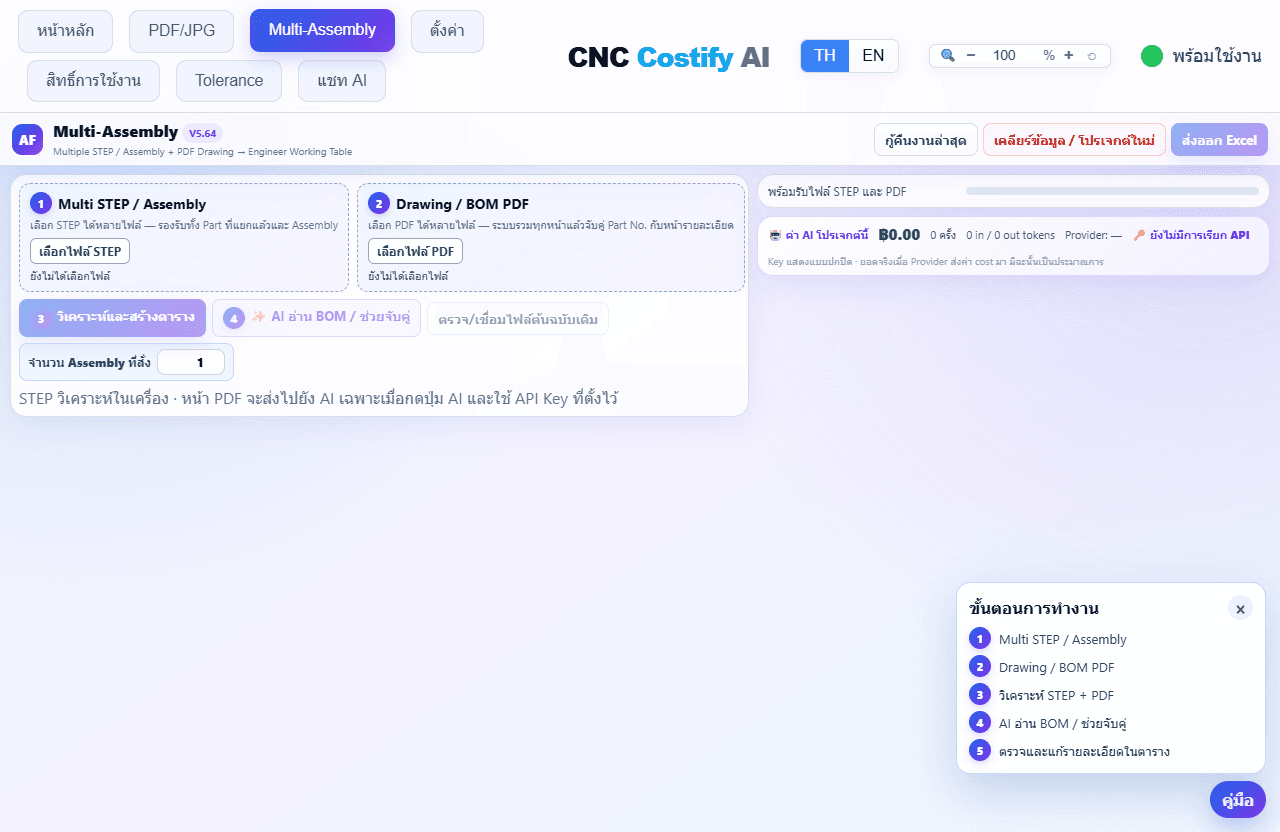
02Pair multiple STEP and PDF files, retain STEP geometry/quantity, and read material or manufacturing controls from drawings while flagging incomplete data.
 03
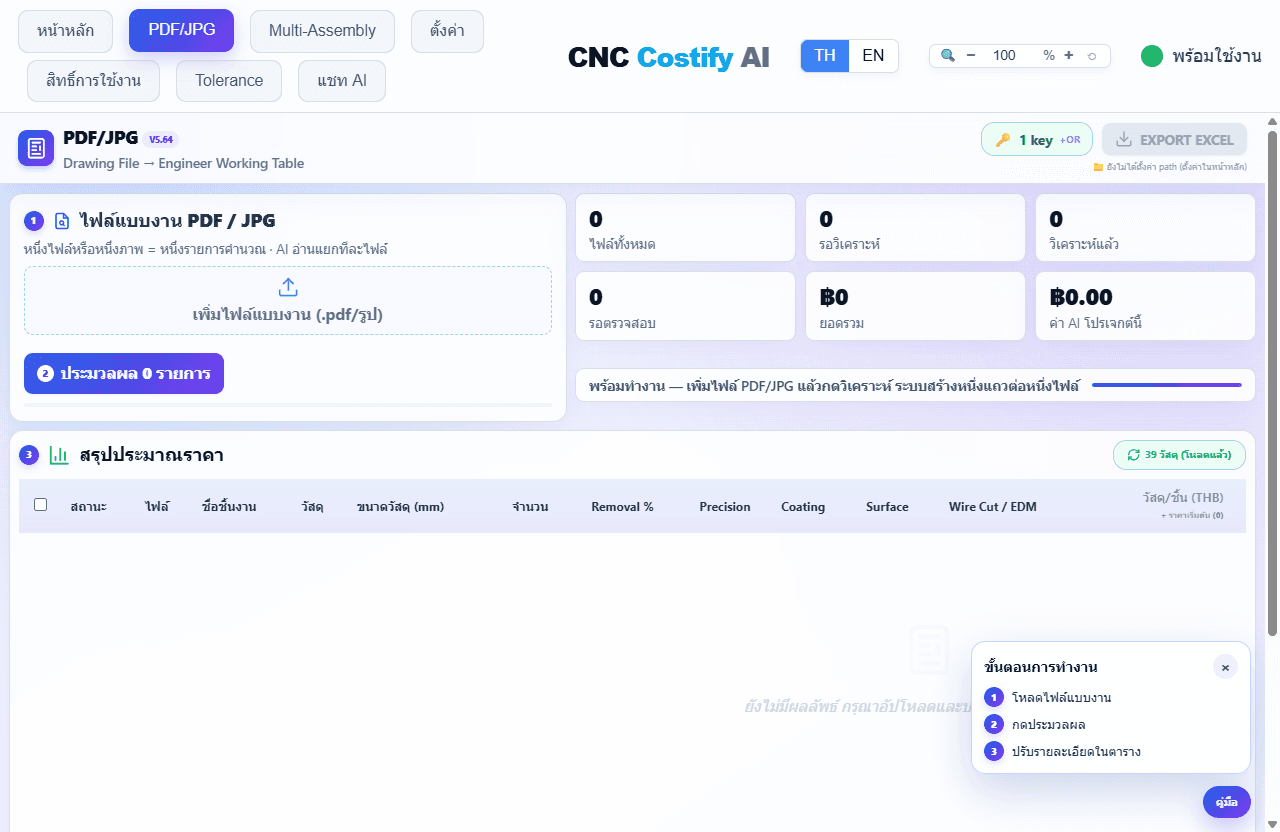
03Read multiple PDF/JPG/PNG drawings with previews below filenames and per-row quote Copy. Explicitly retry an error without clearing successful results.
Common headaches every CNC shop deals with when quoting
STEP in one file, drawings across several PDFs, and BOM in another — forcing estimators to compare and retype every part.
One occurrence-count mistake changes manufactured quantities, purchase quantities, and the total project cost.
Names in STEP, BOM, and PDF filenames rarely match exactly, making page-by-page matching slow and risky.
Stock rounded below geometry or an incorrectly assumed cylinder can make the purchased material unusable.
Manufactured items use CNC formulas while purchased items need actual supplier prices. One formula cannot fit both.
Material, precision, coating, surface, Wire Cut / EDM, and CNC rates get missed when they live in separate tables.
V5.95 keeps STEP geometry and quantity authoritative while PDF/BOM enriches stock, material, precision and processes, with a drawing thumbnail in each row, quote copy and clearer Excel images.
V5.89/V5.64 reference illustrations explain the workflow; text describes V5.95. Some controls differ from the installed version.
Drop a Single Part STEP/STP file. OpenCASCADE computes its volume and recommends safe stock before pricing.
Read Product/Component/Occurrence structure and actual quantities from STEP, then combine multiple drawing sheets and BOM PDFs without letting PDF or AI overwrite STEP quantities.
Each PDF/JPG/PNG becomes one row. The app reads revision, material, and stock shape, blocks invalid prices, and confirms ready rows during one-click Excel export.
100+ materials database (editable), CNC formulas per difficulty, and Coating / Surface / Wire Cut / EDM rates dialed to your shop.
Fifteen tools across six categories covering ISO 286, ISO 2768, IT grades, threads, GD&T, surface finish, materials, bolts, nuts, keys, and tapers.
Need to know corrosion resistance, density, or substitutes? Ask AI instantly with engineering-grade recommendations.
Multi-Assembly exports exactly 11 practical columns: material, quantity, material cost, discounted CNC+Process, unit price, total, and notes listing every included process.
STEP is the source of truth for geometry and quantity. AI enriches drawing data while engineers review and approve before calculation.
Reduce retyping, organize every source, and let engineers finish the review in one table.
Use STEP-only, PDF-only, or a complete Assembly + BOM package by choosing the workflow that fits.
XCAF rolls up real assembly occurrences. PDF/BOM enriches material and precision and reports differences without overwriting STEP quantity.
Axis and containment checks after rounding, plus geometry-confirmed cylinders, reduce undersized-stock risk.
AI reads drawings/BOM, pre-fills data, and matches names or same-grade materials; uncertain or unresolved material prompts engineer selection and review.
Change material, stock, quantity, precision, processes, or price and refresh unit and selected totals immediately without a confirmation or recalculate step.
Export a customer-ready 11-column sheet that combines discounted CNC and processes into one value and lists included processes in engineering notes.
No credit card required · 2-minute install
Geometry, BOM, materials, manufacturing processes, pricing, and Excel in one workflow.
OpenCASCADE reads volume and stock, checks stock is never smaller than geometry on any axis, and blocks assemblies from being quoted as one part.
Extract products, components, and occurrences from STEP assemblies, attach multiple Drawing/BOM PDFs, assist part-number matching, and consolidate duplicate references into one row per STEP product.
Material + CNC + setup + precision + coating + surface + Wire Cut / EDM use your shop database and formulas, with per-row editing.
PDF/JPG and Multi-Assembly use the same pricing principle: CNC+Process includes net CNC, setup, and every priced process, with included processes listed in engineering notes.
Choose Gemini, OpenRouter or OpenAI, its model and your own key to read drawings/BOM and match same-grade materials. Errors never automatically switch provider.
Search materials, edit stock and quantity, choose Manufacture/Purchase/Ignore, enter purchase prices, and tune precision and processes per row.
Free includes 15 STEP files/month — use them any day or all at once. Paid plans add PDF/JPG, Multi-Assembly, Multi-STEP/PDF/BOM, advanced AI, and higher quotas.
View All PlansGeometry and core pricing formulas run locally. Documents are sent only when the user invokes AI.
Edit material, CNC, setup, precision, coating, surface, and Wire Cut / EDM rates with backup/restore.
Use Gemini, OpenRouter, or OpenAI with your own API key. Engineers approve the final data.